 Scribbloons
Support
Need a hand? Email support@noworrieslifestyle.com and we will get back to you.
How do I scan a drawing?
- Draw a creature on paper with a dark crayon or marker.
- Lay the sheet flat on a table or the floor.
- Open Scribbloons, tap the Scan button and point your camera at the sheet.
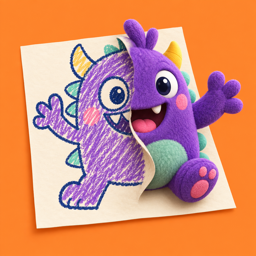
- Hold your phone steady. The drawing peels off the page, puffs up into a plush creature and walks around in AR.
- Give your creature a name. It now lives on your shelf.
Tips for a good scan
- Good light. Use a bright room or a lamp, and keep your hand and phone from casting a shadow on the paper.
- The whole sheet in view. Keep all four edges of the paper on screen.
- Dark crayon or marker. Bold, dark lines show up best. Pencil and pale crayons are harder for the camera to see.
- Plain paper, laid flat. One drawing per sheet works best, and a drawing with closed outlines puffs up the roundest.
What if no paper is found?
You have two other ways to make a creature. Tap Photos and pick a picture of the drawing, or tap Draw and draw a creature right in the app with your finger. If the camera still does not find your sheet, try more light, move a little closer and keep the whole sheet in view.
The camera will not open
Scribbloons needs permission to use the camera. Open the Settings app, tap Scribbloons and turn on Camera. If AR does not work on your phone, Photos and Draw still work.
How many creatures can I keep?
Free keeps 2 creatures on your shelf. When the shelf is full, you can let one go to make room for a new one, or get Scribbloons Pro to keep every drawing.
What is Scribbloons Pro?
An optional subscription that unlocks unlimited creatures, Dance Party, hats and props, and videos with no watermark up to 60 seconds. Free videos have a watermark and stop at 15 seconds. Pro is weekly for USD 4.99 with a 3-day free trial, or yearly for USD 39.99.
Payment is charged to your Apple Account at confirmation of purchase, or when a free trial ends. The subscription renews automatically unless you cancel at least 24 hours before the end of the current period. Read the Terms of Use for details.
How do I restore my purchase?
Open Scribbloons, tap the gear icon on the home screen, then tap Restore purchases. Use the same Apple Account you subscribed with.
How do I cancel my subscription?
On your iPhone, open the Settings app, tap your name, tap Subscriptions, choose Scribbloons Pro and tap Cancel Subscription. You can also tap the gear icon in Scribbloons and choose Manage subscription. Cancel at least 24 hours before a free trial ends to avoid a charge, and at least 24 hours before a renewal to avoid the next one. Deleting the app does not cancel a subscription.
Can my kid buy Pro by accident?
Purchases go through Apple. To approve every purchase yourself, turn on Ask to Buy or Screen Time limits for your child's Apple Account. Kids should use Scribbloons with a grown-up nearby.
Videos
Record a video of your creature, with sound, then save it to your Photos or share it. Scribbloons asks for the microphone only when you record with sound, and for add-only Photos access when you save. If a video will not save, open Settings, tap Scribbloons and check Photos.
Which iPhones work?
Scribbloons is an iPhone app and needs iOS 18 or later.
Privacy
Everything happens on your phone and nothing is collected. Read the Privacy Policy.
Contact us
Email support@noworrieslifestyle.com. It helps to tell us your iPhone model, your iOS version and what happened. Please do not send a child's personal information.